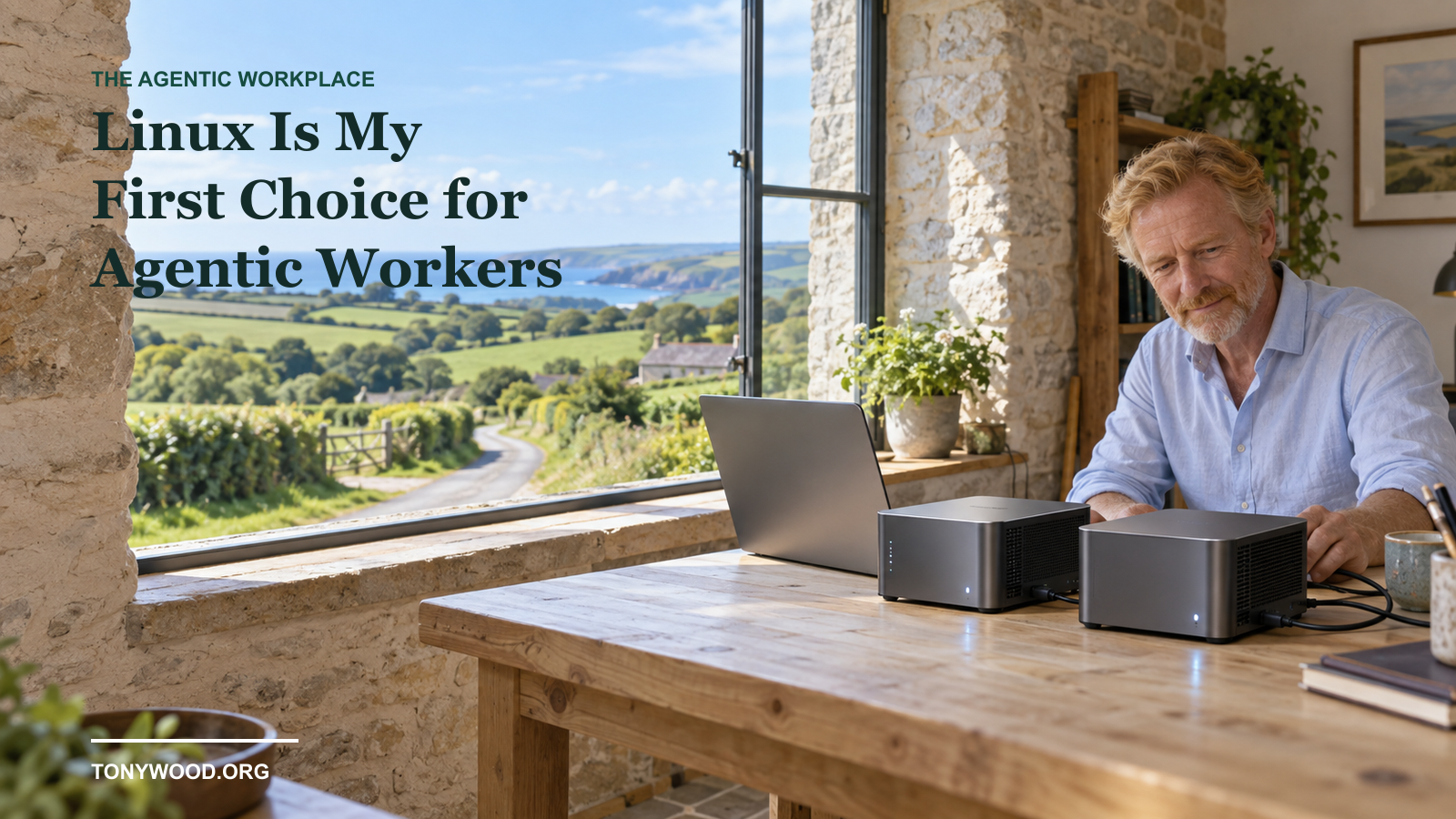
I still love my Mac. But I do not think every one of my agentic workers needs one.
I have just been setting up a couple of agentic employees for my business: one for general administration, another for procurement. And the machines I have chosen for them are little Linux boxes.
In my purchase comparison, each came in at roughly a third of the price of the Mac mini I was considering. That is my buying experience, not a claim that every Linux machine costs a third as much, or that the machines are equivalent in performance.
What matters is that they do the work I need. Browser. Codex. Password manager. Tailscale. Remote access. A working environment I can return to while I am travelling.
And it has left me thinking: perhaps we have been waiting for the wrong year of the Linux desktop.
Perhaps the breakthrough is not everybody moving their own desk to Linux. Perhaps it is giving their agents a desk there.
My Mac for me. Linux for the workers.
I wrote earlier about Codex on Linux changing the Mac mini equation. This is the follow-up from actually putting that idea to work.
I like my Mac as the machine I sit in front of. I like working on it, moving between things and using it as my own desktop. That preference has not disappeared.
But buying my preferred personal computer and buying an environment for another agentic role are different decisions. Once I start multiplying the machines, the price matters rather more.
I do not need the procurement agent to appreciate the finish on the case. I need it to have the right tools, the right access and somewhere to leave its work.
By an agentic employee, I mean a software worker given a defined role, tools and supervision. Not a person, not a guarantee of competence, and certainly not an invitation to let it spend whatever it likes.
A little love for the little boxes
The machines I am using are Beelink mini PCs. So far, they have been solid and reliable for this setup. A little bit of credit where it is due.
The setup even included getting the firmware updated with the agent's help. I find that quite something: the assistant can help prepare the environment it is going to work in, rather than leaving me to do every part by hand.
That is not a recommendation to let an agent casually flash a BIOS. Firmware is one of those changes where the exact machine, the manufacturer's instructions, reliable power and a recovery plan really matter. I would keep that behind explicit approval.
Beelink's own support forum says its mini PCs generally work well with Linux. That is useful, but it is not a compatibility certificate for every model. Check the specific machine, Wi-Fi, graphics, sleep behaviour and distribution before buying a batch.
The link above is an ordinary manufacturer link, not a referral link. This is my experience with my setup, not a laboratory comparison of the range.
Why agentics like Linux
When I say agents love Linux, I do not mean they have developed an emotional attachment to a package manager.
I mean that a lot of the environment is accessible through commands, files, configuration and logs. An agent with the appropriate tools and permissions can inspect a service, read its output, make a scoped change and check the result.
There is less need to assume somebody is physically sitting in front of a screen clicking through every step. Linux can run without a monitor, keyboard or logged-in desktop: headless. It can also provide a desktop when you need one.
Those are useful properties for a worker whose job might be to prepare a document, compare suppliers, process files or keep a defined workflow moving.
They are not exclusive to Linux. macOS and Windows have command-line tools and automation too. Linux is my first choice here because the combination of cost, configurability and remote operation fits the job.
And can inspect is not the same as understands everything. The agent can misread a log or propose the wrong fix. Giving it a more accessible system does not remove the need to check its work.
What works today, and what is still a preview
As checked on 15 September 2026, OpenAI documents its ChatGPT desktop app for Linux, including Codex, as a preview. It lists Ubuntu 24.04 and 26.04 LTS, Debian 13, Fedora 43 and 44, and current Arch Linux, with x64 and ARM64 packages.
There is an important limit: that page says native Computer Use is not yet available in the Linux preview. Native Wayland support is experimental too. A working browser integration or command-line workflow is not proof that every desktop-control feature works on Linux.
Codex CLI has a documented Linux installation route and can inspect files, edit code and run tools in its permitted environment. That makes the terminal useful even when a particular desktop feature is missing.
So my claim is deliberately practical: the things I need in my current setup are working. Before you copy it, test the things you need. Do not buy on the assumption of complete feature parity.
The browser is still part of the job
A headless machine is lovely until the next supplier needs you to use its portal.
In the work I am doing, there are still websites and business systems where the practical route is a browser session. The neat API or MCP connection I would like is not always available to me. Sometimes I need to see the page, sign in and understand what the system is asking.
That is why I want the combination: a machine the agent can work with through tools, and a browser or desktop I can inspect when needed.
Not pretending to be human to get round security. Use authorised accounts and supported integrations; respect access controls. If a service blocks the automation or requires a human check, stop and handle that properly. A login is not permission to do everything behind it.
For procurement, comparing quotes and drafting a recommendation is one boundary. Placing an order or changing a supplier's bank details is quite another.
I can leave the box at home and take the conversation with me
One of the benefits for me is being able to connect back to the working environment while I am travelling. The files, tools and ongoing work do not all have to move with my laptop.
Tailscale supports Linux and provides a private network route; its SSH feature can provide shell access without exposing SSH to the public internet. The network connection and the remote desktop are separate pieces. You still need to configure and secure whichever remote-access service you use.
This should not be confused with a promise about OpenAI's phone-based Remote feature. Its current guide names connected Mac and Windows computers. My Linux remote-access setup is not evidence of official Linux support for every Codex Remote route.
And anywhere still means somewhere with connectivity, to a machine that is powered on and reachable. Sleep, updates, authentication expiry and a dropped connection have not been abolished by AI.
Give it a workspace, not the keys to everything
A dedicated machine makes the separation easier to see. It does not create that separation by magic.
If I give two machines the same all-powerful account and access to every shared folder, I have mostly bought two boxes containing the same risk.
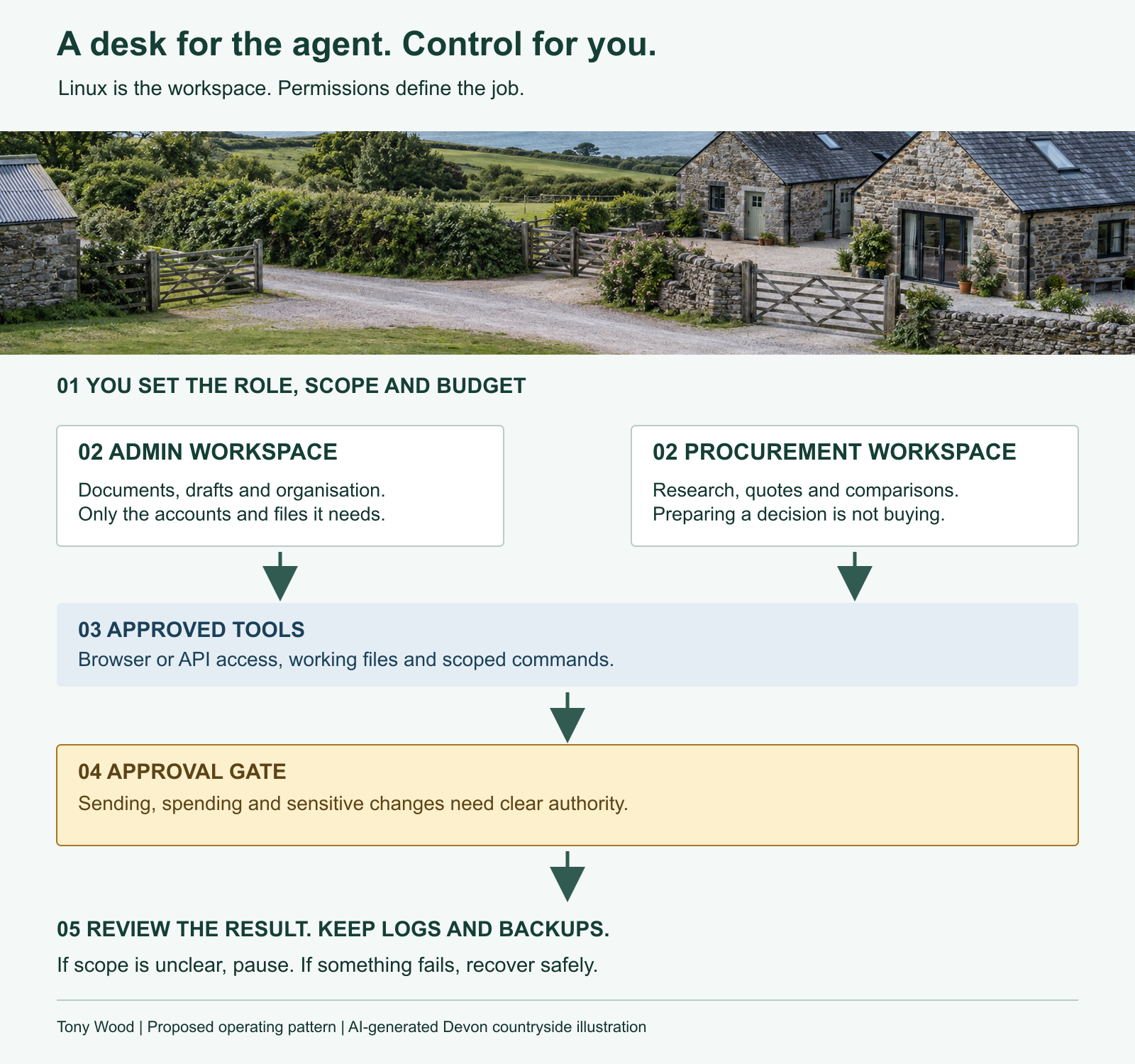
This is the pattern I would aim for:
- A defined job. What is this worker for, and what is outside its remit?
- Its own working area and appropriate identity. Only the files, systems and browser sessions it needs. Keep secrets in the password manager, not in prompts or shared notes.
- A clear approval boundary. Drafting is not sending. Comparing is not buying. Diagnosing is not authorising a system change.
- A way to see and recover the work. Logs, backups, a status check and a tested way to stop the worker or restore the environment.
The cheap box is the beginning of the budget, not the whole budget. There are model subscriptions or API charges, electricity, backups, maintenance and my time checking what has happened.
And running the agent's tools locally does not mean the model is running locally. A small PC using a cloud model still depends on that provider and its data-handling arrangements. This is not a claim that a low-cost mini PC can run a frontier model itself.
Will companies build an agent desktop of their own?
This is the part I find particularly interesting.
We are used to configuring computers for people. What happens when we start configuring them for roles: administration, procurement, research, operations?
Linux gives us choices about the distribution and the software we put around it. Ubuntu, for example, offers different desktop flavours and professional support. A company could maintain a tested standard image and a controlled package repository, rather than inventing each worker's machine from scratch.
Those are different things: the distribution is the operating-system starting point; the image is your prepared installation; the repository supplies packages. None means you can ignore the licences of the software you redistribute.
I would start with a supported distribution and a repeatable setup, not immediately create a new Linux distribution. I want the agent to do the business work. I do not particularly want a second job maintaining an operating system.
But a well-maintained agent workstation, with approved tools, updates, browser access, role boundaries and recovery built in? I can see a real use for that.
Perhaps 2027 is the year of the agentic Linux desktop
That is my prediction, not an announced roadmap.
We have spent years discussing whether Linux will become everybody's desktop. Perhaps people will carry on using the Macs and Windows machines they like, while buying Linux environments for the growing number of software workers around them.
The human gets the computer they enjoy. The agent gets a practical environment for its job. We connect the two, supervise the work and keep the costs sensible.
I am not getting rid of my Mac.
I am just not buying one for every new member of the agentic team.
Sources and notes
Product documentation checked on 15 September 2026. The two roles, hardware experience, approximate purchase-price comparison and firmware anecdote come from my own account. Exact Beelink models and purchase prices are not included, so this is not a like-for-like buying guide. The images are AI-generated editorial illustrations, not photographs of my equipment. The operating pattern and 2027 prediction are my recommendations and opinion.
- OpenAI: Linux desktop preview, supported distributions and limitations.
- OpenAI: Codex CLI.
- OpenAI: Remote, distinct from a private-network Linux remote-access setup.
- Beelink manufacturer website and its support forum's general Linux statement.
- Tailscale: Linux installation and SSH.
- Canonical: Ubuntu Desktop.